
Lofi in your GNOME top bar.
Quick Lofi is a GNOME Shell extension that plays radio streams and local audio from the panel. No browser tab to keep open.
- Works with
- GNOME 46 to 50
- Needs
- mpv
- License
- GPL-3.0
- Downloads
- 10,000+
Small extension, real settings
The menu stays simple. Preferences open in a regular GNOME window with three pages: Radios, Player, and Interface.
Playback
Everything happens in the top bar menu.
- Play from the panelPick a station in the menu to play it. Click it again to pause, right-click to stop.
- Streams and local filesA station is a name plus a source: a stream URL or a path to a file. If mpv can play it, it works.
- Mini playerPrevious, pause, and next, plus elapsed time. Files and playlists get a seek bar and the track title; live streams show LIVE.
- Volume in the menuA slider sits under the station list. Set a default level in preferences.
Control
Use it without opening the menu at all.
- Global shortcutsAssign keys to play or pause, stop, change volume, and skip between stations or playlist items.Example shortcut:Ctrl\
- Click actionsChoose what left, middle, and right clicks on the indicator do: show the menu, toggle play, stop, or open preferences.
- Media keys and MPRISQuick Lofi registers as an MPRIS player, so media keys and the GNOME media controls work with it.
Stations and advanced
For long lists and unusual streams.
- Drag to reorderRearrange stations in preferences by dragging their rows.
- Popup height limitCap the menu height when the station list gets long.
- mpv arguments and browser cookiesPass your own mpv flags, or load cookies from a browser for streams that need a signed-in session.
Screenshots
The panel menu, and two pages of the preferences window. Preference captures follow the light or dark style of this page.
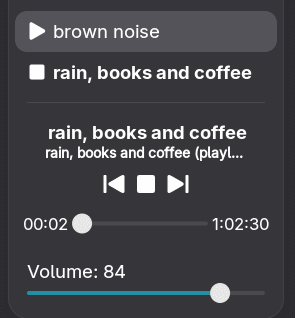
The panel menu with the mini player: playlist progress, controls, and volume.
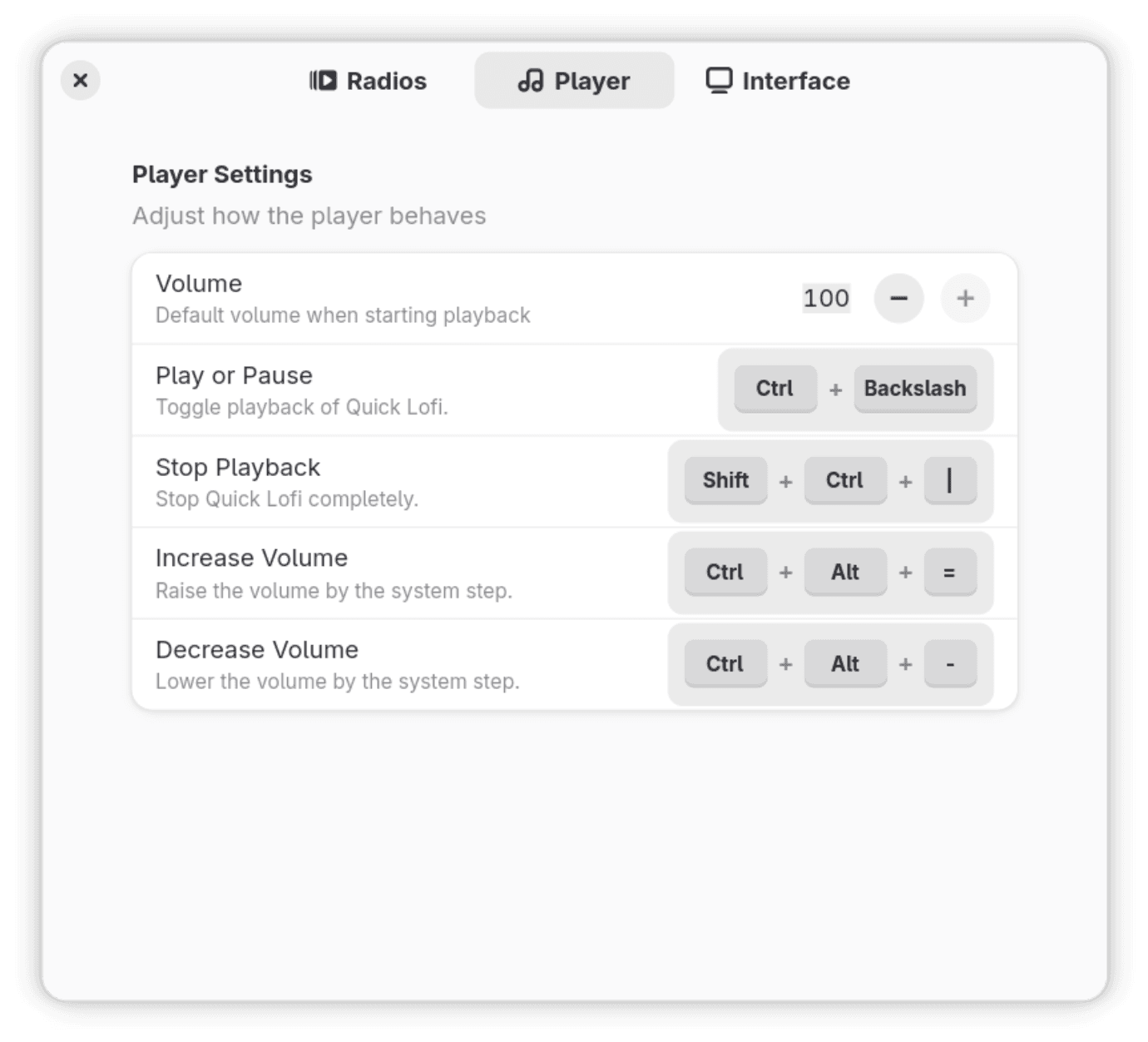
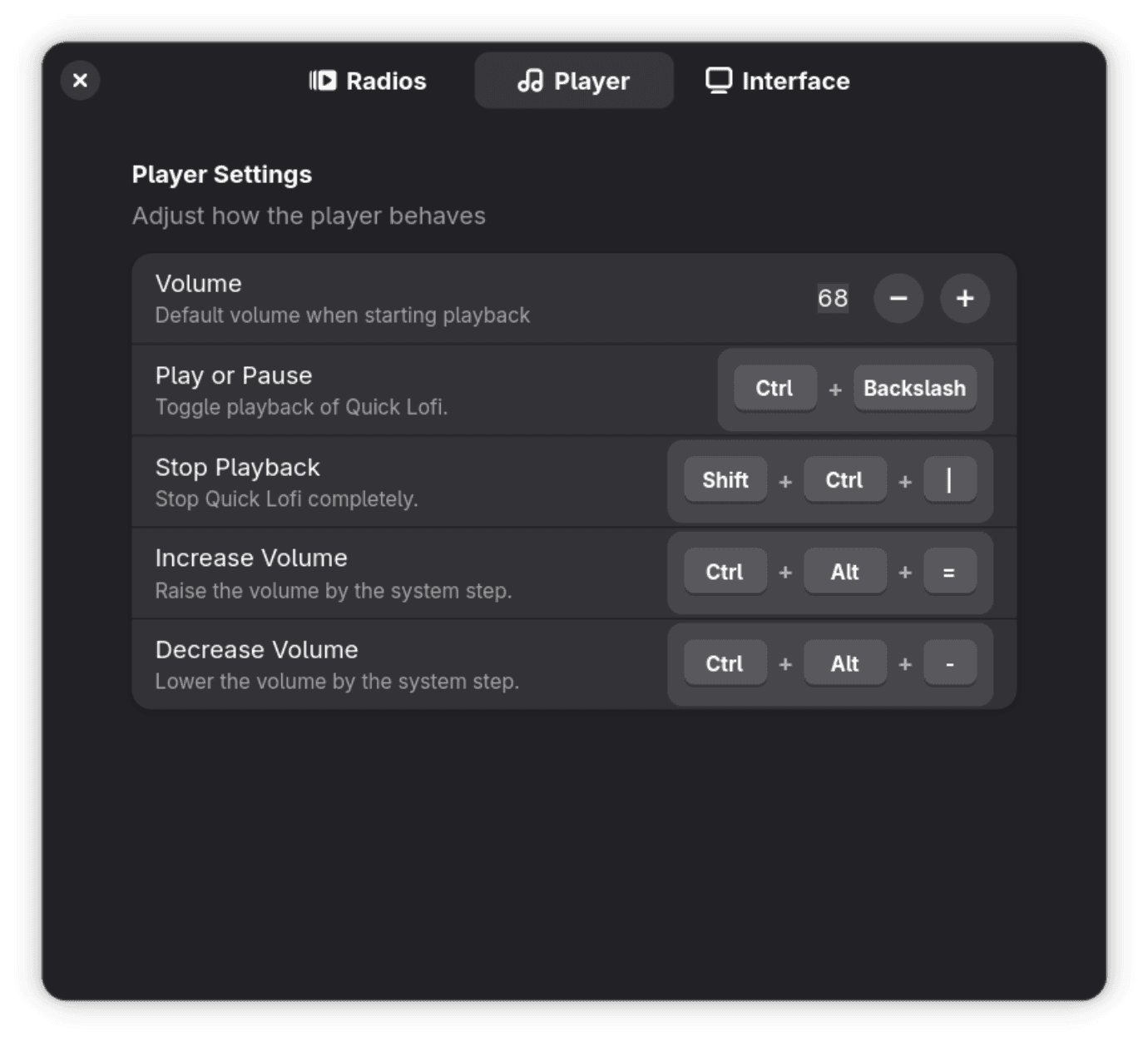
Preferences, Player page: default volume and global shortcuts.
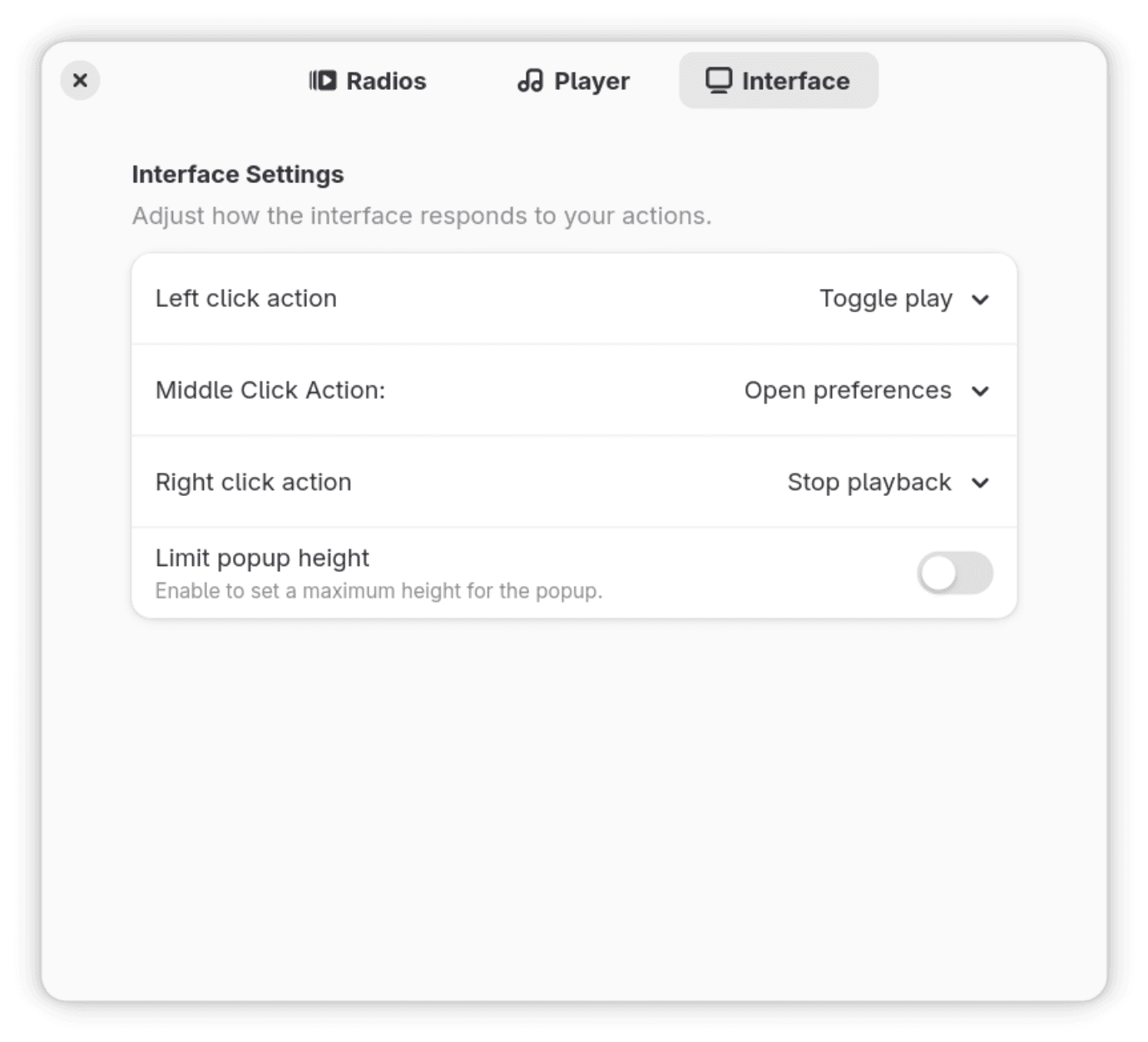
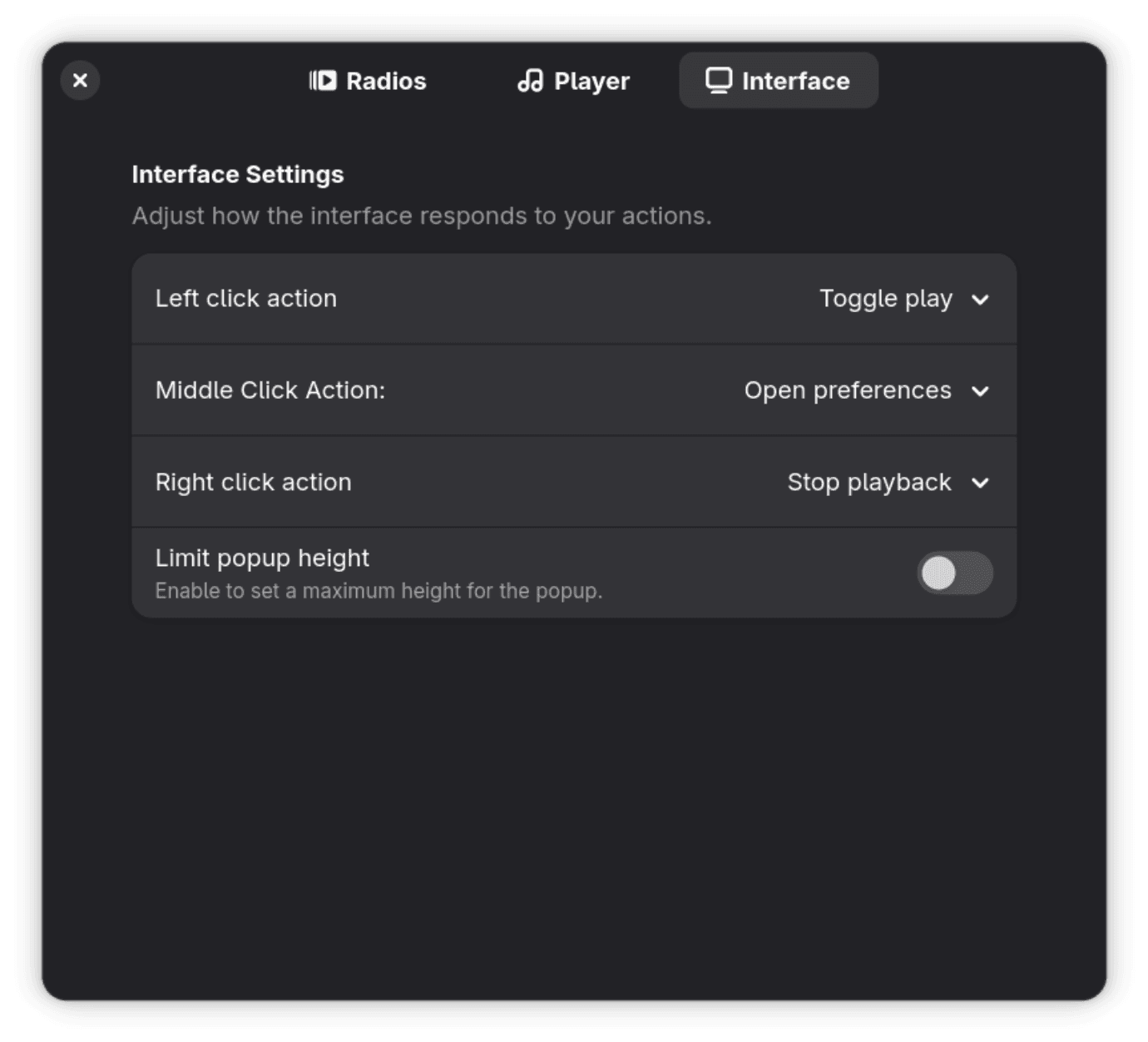
Preferences, Interface page: indicator click actions and popup height.
Install
Quick Lofi supports these GNOME Shell versions. Run gnome-shell --version to check yours.
- GNOME 46
- GNOME 47
- GNOME 48
- GNOME 49
- GNOME 50
Install mpv
Quick Lofi plays everything through mpv, so install it first.
sudo dnf install mpvsudo apt install mpvsudo pacman -S mpvsudo zypper install mpvAdd the extension
Install it from extensions.gnome.org with the browser integration, or search for Quick Lofi in Extension Manager.
Get it on GNOME ExtensionsPick a station
Click the Quick Lofi icon in the top bar and choose a station. Three lofi streams come preset. Add your own in Preferences under Radios.
Other ways to install
Download quick-lofi@eucaue.zip from the releases page, then run this in the same folder and log out and back in:
gnome-extensions install --force quick-lofi@eucaue.zipTo build from source with Node and npm, follow the manual installation steps in the README.
What people say
Reviews left on extensions.gnome.org, quoted as written.
“This works great on 46. This can also be used to add ANY stream so I have also added Radio Paradise channels thanks to the add radio feature. Great work!”
batistellaSeptember 2026 “This extension is amazing! Of course is very cool... I don't need more a chrome tab only todo this... Of course uses low memory that a chrome instance... I really loved this!”
MotyMay 2026 “Dude, if you love hearing radios in your freetime, its a MUST HAVE. works perfectly, you can add your stations. THAT THING Is amazing. …”
lampsbrApril 2026 “very nice, working on gnome 49.5 (endeavour)”
himozzzaSeptember 2024 “This is an amazing extension!”
sean123June 2024 “Those are dem real dope beats bruh...”
Get it on GNOME ExtensionsThis program comes with absolutely no warranty. See the GNU General Public License, version 3 or later for details.